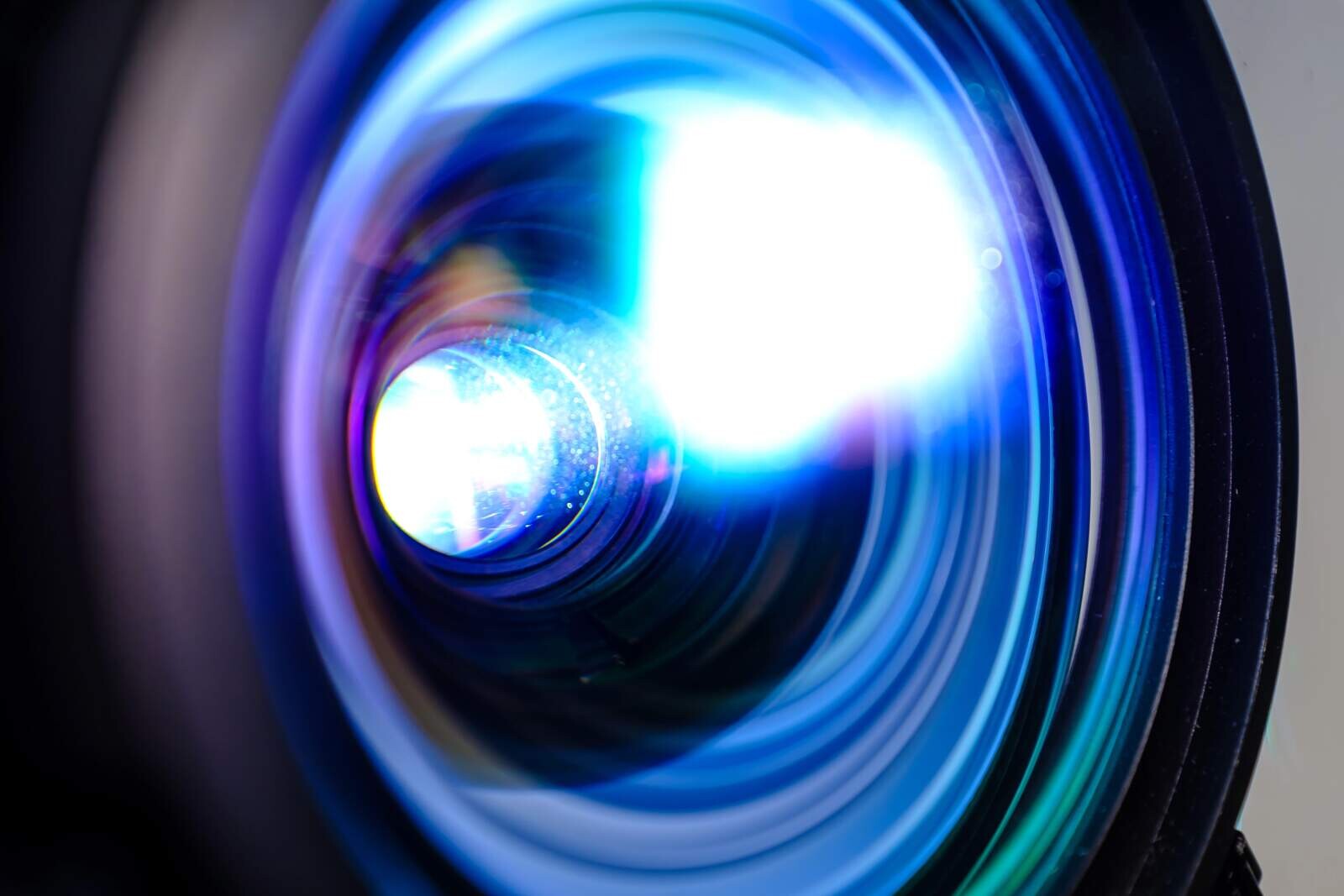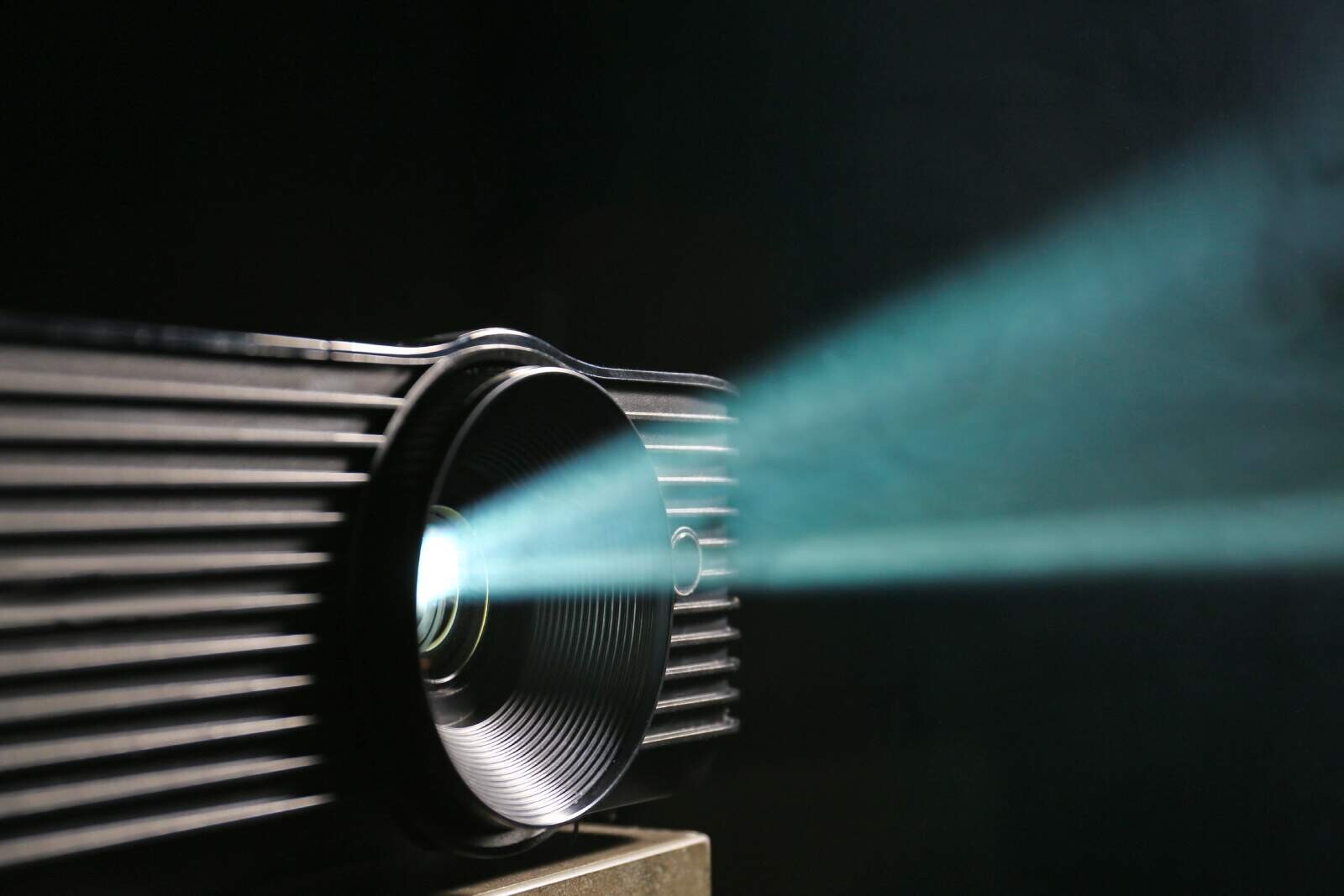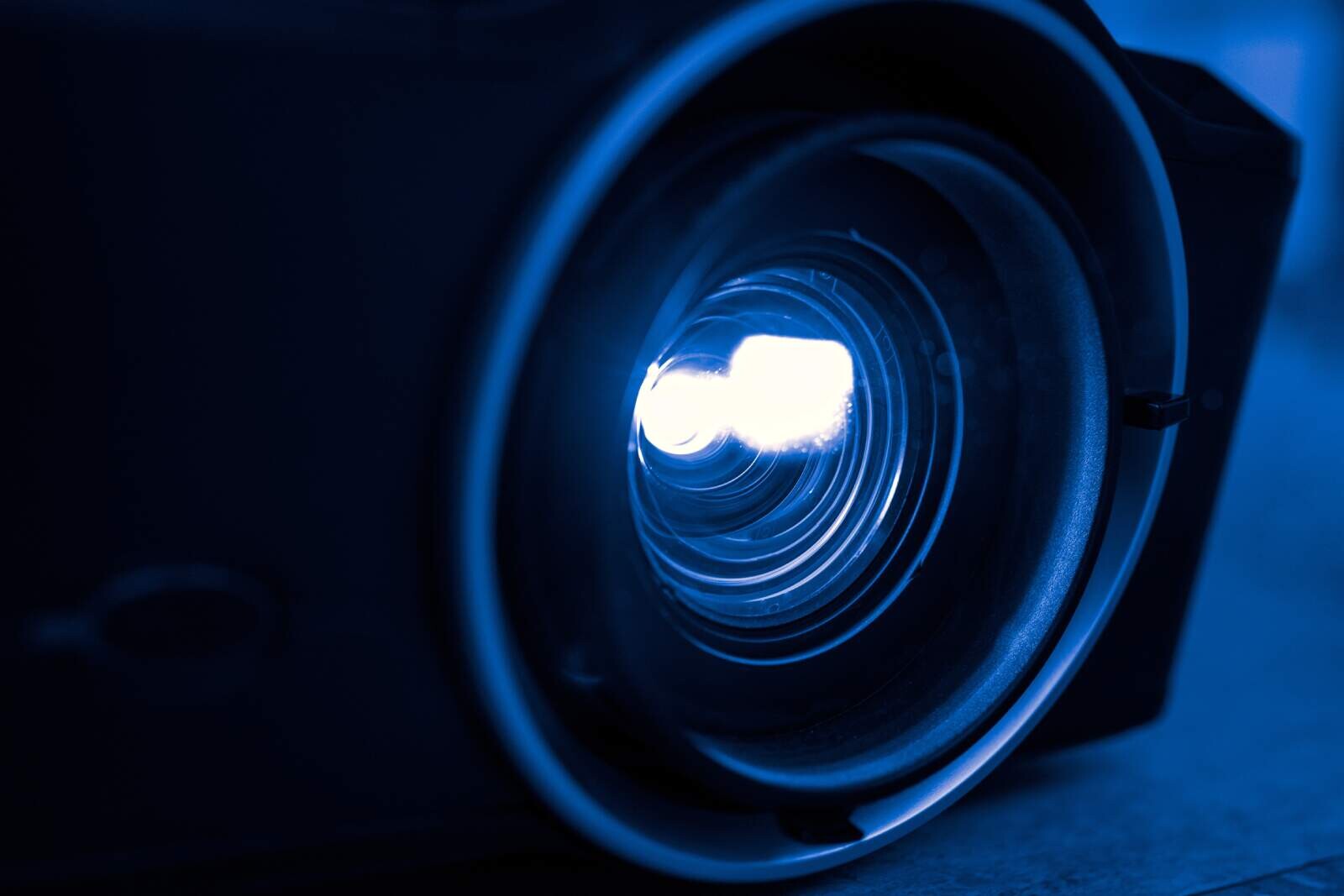
Short-throw projectors are specialized display devices equipped with high-grade wide-angle lenses designed to project massive, high-definition images from a very short physical distance, typically ranging from three to eight feet away from the projection screen or wall. By utilizing custom-engineered optical lenses, these advanced projection systems can create a 100-inch diagonal image from less than half the distance required by traditional, standard-throw projection systems.
This distinct technical capability makes them an invaluable asset for small home theaters, modern classrooms, tight corporate boardrooms, interactive gaming setups and specialized applications such as indoor golf simulators. Standard projectors usually require ten to fifteen feet of clearance to cast a comparable image size, which often causes issues with shadows, physical obstructions and room layout constraints.
In this comprehensive guide, you will learn the precise science behind short-throw projection, the critical differences between standard, short-throw and ultra-short-throw options, how to choose the right matching screen and how to calibrate your setup for optimal picture quality.
All the information in this blog post will serve you well when you shop in the when you shop in the Best Video Projectors Store and view projector specifications in the Best Video Projectors Comparison Table.
Key Takeaways
If you are looking for a quick summary of short-throw projection technology, these five key data points outline the most essential concepts:
Throw ratio range: Short-throw projectors are defined by a throw ratio between 0.4:1 and 0.8:1, whereas standard-throw units operate between 1.5:1 and 2.0:1.
Distance efficiency: A short-throw projector can project a brilliant 100-inch image from a distance of approximately three to six feet from the screen surface.
Shadow elimination: Because the projector sits close to the screen, presenters, gamers and viewers can walk behind the lens path without casting shadows or looking directly into a blinding light beam.
Screen sensitivity: Short-throw optical lenses project light at steeper angles, meaning they require exceptionally flat projection screens, preferably fixed-frame or tab-tensioned models, to prevent geometric warping.
Versatile environments: These units are ideal for space-constrained apartments, competitive gaming, educational classrooms and commercial installations where ceiling mounts or long cable runs are impractical.
Shop All Products in the Best Video Projectors Store
What Is the Definition of Short-Throw Projectors?
Short-throw projectors are optical projection devices engineered with specialized, highly curved wide-angle lenses that allow them to cast massive images from incredibly short distances. While standard projectors require a long throw distance to expand their light beams, short-throw units use advanced lens geometries to split and widen the light path immediately as it exits the chassis.
To fully understand this technology, it is essential to look at the mathematical formula that defines projection design: the throw ratio. The throw ratio is the mathematical relationship between the distance from the projector lens to the screen (the throw distance) and the horizontal width of the projected image.
Throw ratio equals throw distance divided by screen width
For example, if a projector is placed four feet away from a screen and projects an image that is exactly five feet wide, its throw ratio is 4 divided by 5, which equals 0.8:1.
The Optical Engineering Behind Wide-Angle Lenses
Standard projectors typically feature throw ratios of 1.5:1 to 2.0:1. To achieve a 100-inch diagonal image (which is roughly 7.2 feet or 87 inches wide), a standard-throw projector must be positioned between 11 feet and 14.5 feet away from the wall.
Short-throw projectors, on the other hand, boast throw ratios of 0.4:1 to 0.8:1. By utilizing a 0.5:1 throw ratio lens, the same 100-inch diagonal image can be cast from a distance of just 3.6 feet.
Achieving this dramatic reduction in distance requires highly complex optical engineering. Short-throw lenses are constructed using multiple dome-shaped glass elements that are precisely shaped to bend light at extreme angles without introducing chromatic aberration (color fringing) or geometric distortion (the pincushion or barrel effect).
These specialized lenses must maintain uniform focus across the entire screen area. Because the center of the screen is physically closer to the lens than the extreme outer corners, the lens must be capable of focusing light across a variable depth of field. This is why high-quality optical glass and precision manufacturing are vital components of any short-throw projection system.
How Do Short-Throw Projectors Compare to Standard and Ultra-Short-Throw Options?
The primary difference between standard, short-throw and ultra-short-throw projectors is the optical throw ratio, which dictates how far the device must be placed from the wall to project a target screen size. While standard projectors require a deep room and ultra-short-throw systems sit directly beneath the wall, short-throw projectors occupy a highly versatile middle ground.
To help you visualize how these three classes of projection systems compare, review the detailed technical breakdown below:
Long-Throw Projectors
Long-throw projectors, also called standard-throw projectors, represent the traditional design that has dominated theaters and classrooms for decades. They are highly effective when you have ample space and can permanently mount the unit to the ceiling or place it on a rear shelf.
Long-throw projectors, however, present major challenges in smaller environments. If anyone stands up or walks across the room, they instantly cast a large shadow on the screen. Furthermore, the long throw distance means the light must travel through more air, which can diminish apparent brightness if the room suffers from high levels of ambient light or airborne dust.
Short-Throw Projectors
Short-throw projectors solve these spatial issues by placing the projector in front of the viewers, typically on a low coffee table or a short ceiling mount. By positioning the device closer to the screen, the light path is kept clear of foot traffic.
This proximity also ensures that less light is scattered or absorbed by the air in the room, resulting in a punchier, more vibrant image. While they require higher-quality glass optics than standard models, they remain far more affordable than ultra-short-throw options.
Ultra-Short-Throw Projectors
Ultra-short-throw (UST) projectors represent the absolute limit of wide-angle projection technology. These systems do not project light straight forward; instead, they project light upward and outward through an intricate array of internal aspherical lenses and highly reflective curved mirrors.
A UST projector can sit on a media console directly below the screen, separated by only a few inches. While incredibly convenient, UST projectors are highly sensitive to even the slightest surface wave on a projection screen.
Even a microscopic wrinkle on a standard pull-down screen will look like a massive wave when hit by the steep, vertical light angle of a UST projector. Consequently, they require expensive, specialized Ambient Light Rejection (ALR) screens with micro-triangular structures to redirect light toward the audience. Short-throw projectors, on the other hand, are much more forgiving of minor screen imperfections, saving you money on screen selection.
What Are the Main Benefits of Using Short-Throw Projectors?
Short-throw projectors offer distinct advantages by eliminating common spatial, environmental and installation challenges associated with traditional long-throw setups. By shortening the distance between the projection source and the display surface, these devices deliver enhanced image clarity, ease of use and physical safety.
Understanding these benefits in detail will help you determine if this technology fits your home, school or business environment.
Complete Elimination of On-Screen Shadows
One of the most frustrating aspects of standard projection is the constant threat of shadows. In a home theater, a guest standing up to grab a drink can block the entire movie. In a classroom, a teacher writing on the whiteboard or standing at a podium blocks the lesson slides, casting a massive shadow across the course material.
With a short-throw projector, the unit is mounted or placed between the audience and the screen. Because the projection cone is short and contained near the front of the room, people can walk around, socialize or present material without ever stepping into the path of the light beam.
Maximum Safety for Presenters and Teachers
When using a traditional projector, presenters must look directly out at their audience. If they turn around, the powerful lamp shines directly into their eyes, causing temporary blindness, eye strain and discomfort.
Because short-throw projectors sit close to the screen, the presenter stands behind the projector lens rather than in front of it. This setup allows teachers, corporate executives and keynote speakers to speak naturally and maintain eye contact with their audience without dealing with a blinding beam of light in their eyes.
Space-Saving Layouts for Compact Rooms
In modern apartments, urban homes and small offices, dedicating twelve to fifteen feet of linear space to a projector is simply impossible. Attempting to force a standard-throw projector into a small bedroom or living room often results in a cramped, unappealing layout or an unacceptably small image.
Short-throw projectors allow you to create a true cinematic experience with a 120-inch display in a room that is only eight feet deep. This capability opens up premium projection options for users who previously thought their rooms were too small for anything other than a standard television.
Reduced Light Loss and Improved Brightness Efficiency
As light travels through the air, it loses energy and scatters, a physical phenomenon governed by the inverse-square law. Additionally, dust particles, pollen and smoke in the air can catch the light beam, causing haze and reducing overall image contrast.
By placing the short-throw projector much closer to the screen, you minimize the distance the light must travel. This short path ensures that more of the generated lumens actually reach the screen surface, resulting in a significantly brighter, sharper and more contrast-rich image than a standard projector of identical lumen output can produce from fifteen feet away.
Simplified Cable Management and Installation
Setting up a traditional ceiling-mounted projector often requires running long HDMI and power cables through your walls or ceiling to reach your source devices, such as game consoles, Blu-ray players or computers, which are typically situated near the front of the room. This process can require professional installation, drywall cutting and expensive active fiber-optic cables to prevent signal loss over long distances.
A short-throw projector sits right next to your playback hardware. You can easily connect your devices using standard, inexpensive, high-speed HDMI cables, keeping your entire setup organized on a single media console or low table.
Shop All Products in the Best Video Projectors Store
What Are the Key Technical Specifications to Consider?
When shopping for short-throw projectors, you must carefully evaluate several critical performance metrics, including the light engine type, light output, native resolution, contrast ratio and connection options. Choosing the correct combination of these specifications ensures that your projector will perform beautifully in your specific environment.
Let us explore these technical specifications in detail so you can make an informed decision.
Light Engines: Lamp Vs. LED Vs. Laser
The light source is the heart of any projector, determining its longevity, color depth, heat output and overall maintenance requirements.
Light Engine Choices
Metal halide lamps: These traditional high-pressure bulbs offer excellent brightness at a very low upfront cost. However, they run hot, require active fan cooling (which can make the projector loud) and degrade over time. A typical lamp lasts between 3,000 and 6,000 hours, meaning you will eventually need to purchase replacement bulbs over the life of the projector.
LED engines: Solid-state LEDs are highly energy-efficient and generate very little heat, allowing for quieter fan designs and smaller projector enclosures. They offer an outstanding lifespan, typically rated for 20,000 to 30,000 hours of use, which translates to over a decade of daily viewing without any bulb replacements. While they excel at color saturation, they do not always reach the extreme raw brightness levels of metal halide lamps or lasers.
Laser engines: Laser-phosphor and direct-laser light engines represent the absolute peak of modern projection technology. They combine the ultra-long lifespan of LEDs (20,000+ hours) with incredible raw brightness. Lasers offer instant-on and instant-off capabilities, minimal brightness decay over time and a wider color gamut. This option is highly recommended if you plan to use your short-throw projector in a room with a lot of natural light.
Light Output: ANSI Lumens Vs. Marketing Lumens
Projector brightness is measured in ANSI lumens, which is a standardized rating system established by the American National Standards Institute. When comparing models, always look for the official "ANSI Lumens" rating rather than generic "LED Lumens" or "marketing lumens," which are often inflated by manufacturers to make lower-tier projectors look more capable.
The brightness level you need depends directly on your room's ambient light conditions:
Dedicated dark rooms (home theaters): 1,500 to 2,000 ANSI Lumens will provide an incredibly rich, cinematic experience with deep black levels.
Moderate ambient light (living rooms with blinds): 2,000 to 3,000 ANSI Lumens are necessary to prevent the image from looking washed out during the daytime.
High ambient light (classrooms, boardrooms, uncovered windows): 3,500+ ANSI Lumens are required to ensure text remains perfectly legible and colors remain vibrant even in fully lit spaces.
Native Resolution and Aspect Ratio
Always pay close attention to the word "native" when reviewing resolution specifications. Many budget projectors claim to "support 4K," which simply means the device can accept a 4K input signal, only to downscale it to a much lower native output, such as 1080p (1920x1080) or even 720p (1280x720).
1080p (Full HD): This is the baseline standard for home entertainment, gaming and business presentations. It offers excellent clarity on screens up to 100 inches and represents the best balance of performance and affordability.
4K UHD (3840x2160): For screens larger than 100 inches, 4K resolution is highly recommended. Because you sit relatively close to a massive screen, the extra pixel density of 4K ensures that you will not see individual pixels (the screen-door effect). Modern 4K projectors use advanced pixel-shifting technology or native 4K chips to deliver incredibly sharp, lifelike detail.
Aspect ratios: Ensure you match the projector's native aspect ratio to your primary content. Use 16:9 for movies, modern television and video games. Use 16:10 or 4:3 for business presentations, document viewing and specialized golf simulators.
Contrast Ratio: Dynamic Vs. Native
Contrast ratio is the difference between the brightest white and the darkest black that a projector can produce. A higher contrast ratio results in punchier images, deeper shadows and greater perceived depth.
Be careful when evaluating dynamic contrast ratios, which can reach millions to one by rapidly dimming the light source during dark scenes. While dynamic contrast is helpful, the native contrast ratio, which measures the projector's performance within a single, static image frame, is a much more accurate representation of actual picture quality.
Look for high-quality DLP (Digital Light Processing) or 3LCD projection chips, which consistently deliver excellent native contrast performance.
Low Input Lag and High Refresh Rates for Gaming
If you plan to use your short-throw projector for gaming, input lag is arguably your most important specification. Input lag is the delay, measured in milliseconds, between the moment your gaming console sends a video frame and the moment that frame is fully projected onto the screen.
Input Lag Performance Thresholds
Under 8 milliseconds: Elite performance (perfect for competitive, fast-paced shooters)
8 milliseconds to 16 milliseconds: Excellent performance (ideal for standard gaming, multiplayer action)
17 milliseconds to 35 milliseconds: (completely acceptable for casual and single-player games)
More than 40 milliseconds: Noticeable delay (not recommended for gaming but fine for television shows, movies and presentations)
Many modern short-throw projectors feature a dedicated "Game Mode" that bypasses heavy internal image processing to drop input lag down to competitive levels, such as 16ms at 4K resolution at 60Hz or an incredibly fast 4.2ms at 1080p at 240Hz.
How Do You Select the Right Screen for a Short-Throw Projector?
Selecting the right screen is just as important as choosing the projector itself, because the screen acts as the final canvas that reflects the light back to your eyes. While standard projectors are highly forgiving of basic screens, short-throw projectors require specific screen materials to deliver their full visual potential.
A high-performance short-throw projection system requires a dedicated screen strategy, which involves several key considerations.
Why Screen Flatness Is Absolutely Non-Negotiable
Because a short-throw projector sits below or near the screen and projects light outward at a steep angle, any physical wave, wrinkle or curve in the screen surface will create a visible, distracting shadow or wave-like distortion in the image.
Standard, inexpensive pull-down manual screens are notorious for developing slight curls along their outer edges over time. While these curls are practically invisible when using a long-throw projector, they will warp a short-throw image.
To prevent this issue, you should pair your short-throw projector with one of the following two screen styles:
Fixed-Frame Screens: These screens feature a rigid aluminum frame that stretches the screen material tight, like a drum, in all four directions. This setup ensures a perfectly flat surface that will never warp, wrinkle or degrade over time.
Tab-Tensioned Motorized Screens: If you need a screen that can retract into the ceiling or a housing on the wall, always choose a tab-tensioned model. These motorized screens use a system of flexible cords and heavy bottom rods to pull the screen material taut, preventing edge curling and maintaining a flat surface during use.
Screen Type Advantages
Ambient Light Rejection (ALR) and Screen Gain
If you plan to use your projector in a room with windows or overhead lighting, a standard white screen can quickly look washed out because white screens reflect light indiscriminately in all directions. To solve this problem, consider using an Ambient Light Rejection (ALR) screen.
ALR screens are engineered with specialized optical coatings or microscopic textures that reflect light coming from the projector directly toward your eyes while deflecting ambient light coming from windows or ceiling light fixtures away from your viewing area.
When choosing an ALR screen, pay close attention to the screen gain rating. Gain is a measurement of the screen's reflectivity compared to a standard white reference board:
1.0 gain: Reflects light with equal brightness in all directions, offering wide viewing angles but no ambient light protection.
0.8 to 0.9 (negative gain): These grey screens absorb ambient light, drastically improving black levels and contrast in brighter rooms.
1.1 to 1.3 (positive gain): These highly reflective coatings concentrate the light back toward the center of the room, boosting image brightness but narrowing the viewing angle.
For most short-throw home installations in rooms with light control issues, a high-quality grey screen with a gain of 0.8 to 1.0 is the ideal choice. It preserves contrast, improves black levels and delivers a highly satisfying, punchy image.
What Are the Best Practical Use Cases for Short-Throw Projectors?
Short-throw projectors are incredibly versatile devices that excel across a wide variety of domestic, educational and commercial applications. By solving the issues of limited space and ambient light interference, they open up exciting new possibilities for entertainment and productivity.
Let us explore some of the most popular and successful ways people use this technology today.
Immersive Golf Simulators
Indoor golf simulators have experienced an explosion in popularity and short-throw projectors are the industry-standard choice for these systems. To play virtual golf, a golfer stands roughly eight to ten feet away from a large impact screen and swings a physical club.
If you were to use a standard-throw projector placed behind the golfer, their physical body and golf club would cast a massive shadow across the course, obscuring the target and the ball.
A short-throw projector can be mounted safely on the ceiling, only four to five feet away from the impact screen. This position puts the projector well ahead of the golfer's swing path, ensuring a perfectly clear, shadow-free view of the fairway while keeping the expensive projector safe from any stray balls or club swings.
High-Octane Gaming Rooms
Gamers love the sheer scale of projector displays, but split-second multiplayer games require an unobstructed view and ultra-fast response times. Whether you are playing cooperative splitscreen games with friends on your couch or racing in a dedicated sim-rig setup, a short-throw projector is ideal.
By placing the projector on a low table in front of your seating area, you can freely stand up, celebrate, use motion-tracking VR headsets or pass controllers around without ever blocking the game screen or casting a shadow over the action.
Small Apartments and Bedroom Home Theaters
For urban residents living in compact apartments, finding space for a giant 85-inch television is a major challenge. Heavy TVs require strong wall mounts, sturdy furniture and a lot of physical space.
A short-throw projector can be placed discreetly on a small coffee table, projecting a gorgeous 120-inch image onto a flat wall or a rollable motorized screen. When you are done watching a movie, you can simply turn off the projector, allowing your living room to regain its clean, open look without a massive black screen dominating the wall.
Interactive Classrooms and Lecture Halls
Modern education relies heavily on visual media, slide presentations and interactive digital whiteboards. In a classroom setting, a teacher needs to be able to walk back and forth along the front of the room, pointing out details on the screen and writing notes.
By ceiling-mounting a short-throw projector close to the whiteboard, teachers can present and interact with their students naturally. They can walk freely without blocking the course material or suffering from eye strain caused by looking into a powerful projector lamp.
Corporate Boardrooms and Huddle Spaces
Many business meeting rooms are narrow, glass-walled spaces that do not have the depth required for traditional long-throw projection. Placing a standard projector in the middle of a conference table often results in messy cables running across the floor, loud fan noise interrupting conversations and hot air blowing directly onto attendees.
A short-throw projector can be neatly installed at the head of the conference table, right next to the screen. This layout keeps all cables contained, keeps fan noise away from the meeting participants and ensures a professional, high-impact presentation every time.
How Do You Correctly Install and Position a Short-Throw Projector?
Installing a short-throw projector requires meticulous planning and precise physical measurements because the wide-angle lens amplifies even the smallest positioning errors. Unlike standard projectors that can use optical zoom lenses to adjust the image size after installation, most short-throw projectors feature a fixed focal length, meaning your physical placement determines your image size.
Follow this step-by-step installation and calibration guide to ensure your projector is perfectly aligned and delivers a pristine, distortion-free picture.
Step 1: Calculate the Exact Throw Distance
Before drilling any holes or buying mounting brackets, you must calculate the exact physical distance your projector needs to be from the screen to hit your target image size.
First, look up the official throw ratio in your projector's manual. Let us assume your projector has a throw ratio of 0.5:1 and you have purchased a 100-inch diagonal 16:9 screen.
A 100-inch 16:9 screen has an actual image width of 87.2 inches (7.27 feet). Therefore, the front of your projector's lens must be placed exactly 43.6 inches away from the screen surface. Measure this distance carefully using a tape measure, keeping in mind that the measurement starts from the lens glass itself, not the rear of the projector chassis.
Step 2: Account for the Vertical Offset
Projectors do not project straight out from the center of the lens; instead, they project light at an upward angle (when table-mounted) or a downward angle (when ceiling-mounted). This angle is known as the vertical offset and it is usually expressed as a percentage or a physical measurement in inches.
For example, a projector with a 10% vertical offset means the bottom of the projected image will sit a certain number of inches above the physical center-line of the projector lens.
Always check your manufacturer's specifications to determine the exact offset distance. This step is critical because it tells you exactly how high to mount your screen relative to your ceiling or media table.
Step 3: Align the Center Line Perfectly
Because short-throw lenses bend light at extreme angles, any horizontal misalignment will cause severe trapezoidal distortion (where one side of the image is taller than the other).
Use a laser measure or a string to ensure the projector's lens is perfectly centered and perpendicular to the screen.
Do not guess.
Do not rely on keystone correction to fix horizontal misalignment, as digital keystone correction degrades image resolution and introduces lag.
Always aim for a perfect physical alignment first.
Step 4: Ensure the Projector Is Level
Use a bubble level to ensure both your screen and your projector are perfectly level along both the horizontal and vertical axes. If your projector is sitting on a table, use the adjustable screw-feet on the bottom of the chassis to raise or lower individual corners until the image is level.
If ceiling mounting, ensure your mount offers independent tilt, roll and yaw adjustments so you can lock in a level image.
Step 5: Fine-Tune the Geometry and Focus
Once your projector is physically positioned and level, turn it on and project a grid test pattern (most projectors have a built-in grid pattern in their calibration menu).
Focus adjustments: Gently adjust the manual focus ring on the lens until the grid lines are sharp and clear across the entire screen, paying close attention to both the center and the extreme corners.
Minor geometric tweaks: If your projector has a "corner fit" or "quick corner" adjustment tool, use it to make micro-adjustments to the four corners of the image to align them perfectly with the screen's black velvet border.
Digital keystone correction: Use this tool only as a last resort. Digital keystone correction works by compressing pixels within the display chip to simulate a square image. This process reduces the active resolution of your projector, can introduce scaling artifacts and increases input lag, which is highly undesirable for gaming.
What Are the Limitations and Drawbacks of Short-Throw Technology?
While short-throw projectors offer incredible benefits, they are not a universal solution for every room. The highly specialized wide-angle optics that make short-throw projection possible also introduce a few distinct technical challenges, physical limitations and cost considerations.
Understanding these drawbacks before making a purchase will help you avoid installation headaches and ensure your chosen projector meets your long-term expectations.
1. The Total Lack of Optical Zoom Lenses
The vast majority of short-throw projectors feature a fixed lens design with no optical zoom capability. On a standard-throw projector, you can use a zoom ring to expand or shrink the image size to fit your screen perfectly.
On a short-throw projector, your physical placement is your zoom. If you want a larger image, you must move the entire projector further back. If you want a smaller image, you must move the projector closer.
This requirement means your physical installation must be highly precise, leaving very little room for measurement errors during ceiling mount installations.
2. High Sensitivity to Screen Imperfections
Because short-throw lenses project light outward at steep, oblique angles, any slight variation in screen flatness is instantly magnified.
If you project a short-throw image onto standard, un-tensioned pull-down screens or slightly uneven drywall, you will see noticeable geometric warping, waves and shadows across the image, especially during panning shots in movies or video games.
To achieve a clean, high-quality image, you will likely need to invest in a premium fixed-frame or tab-tensioned screen, which adds to the overall cost of your system.
3. Lower Optical Uniformity and Potential Hotspotting
Achieving perfect brightness and focus uniformity across a massive screen from a short distance is an optical challenge. Because the light traveling to the outer corners of the screen has slightly further to go than the light hitting the center, short-throw projectors can sometimes suffer from minor brightness fall-off or "hotspotting" (where the center of the screen appears slightly brighter than the edges).
Although high-quality manufacturers use sophisticated lens coatings and optical designs to minimize this effect, budget-tier short-throw projectors can exhibit soft focus along the outer edges of the screen or minor color variations.
4. Premium Pricing for Quality Optics
Engineering and manufacturing highly curved, aberration-free glass lenses is a complex process. Because of this optical complexity, short-throw projectors generally carry a price premium compared to standard-throw projectors with similar internal specifications (resolution, brightness and contrast).
While you can easily find budget-friendly standard projectors, a high-quality short-throw model with advanced gaming features or a laser light engine will represent a more significant financial investment.
FAQ
These concise answers address the most common technical questions people ask when researching short-throw projection technology.
Can you use a short-throw projector on a regular wall?
Yes, you can project a short-throw image onto a flat, matte-painted drywall surface, but it is not ideal for the best picture quality. Drywall has microscopic surface textures and imperfections that will create small shadows and distort the image when hit by the steep angle of a short-throw light beam. For a truly crisp, high-contrast and uniform image, using a dedicated, perfectly flat fixed-frame projection screen is highly recommended.
Do short-throw projectors need a special screen?
While they do not require the extremely specialized, micro-structured screens needed by ultra-short-throw (UST) systems, short-throw projectors do require a screen that is perfectly flat. Because of the steep light angles involved, you should avoid cheap, un-tensioned manual pull-down screens, as they develop curls along their edges. Instead, opt for a fixed-frame screen or a high-quality tab-tensioned motorized screen to prevent geometric warping.
Can you ceiling mount a short-throw projector?
Yes, most short-throw projectors are fully compatible with ceiling mounts and feature internal settings to invert the projected image. Ceiling mounting is a highly popular option because it keeps the projector completely out of sight, protects it from physical damage and maintains a clean, professional aesthetic. When ceiling mounting, make sure to use a high-quality mount that offers independent tilt, roll and yaw adjustments for precise alignment.
Is a short-throw projector good for daylight viewing?
A short-throw projector can perform well in daylight, provided you choose a model with high brightness (ideally 3,000 to 4,000 ANSI lumens) and pair it with an Ambient Light Rejection (ALR) screen. Because the projector sits close to the screen, its light travels through less air, which helps preserve image punch. However, no projector can completely compete with direct sunlight, so using blinds, drapes or light-control curtains is always recommended for the best experience.
What is the main difference between short-throw and ultra-short-throw?
The primary difference is the throw ratio and the physical placement distance. Short-throw projectors have a throw ratio of 0.4:1 to 0.8:1 and must be placed roughly three to six feet away from the screen, often on a low coffee table. Ultra-short-throw (UST) projectors have a throw ratio of under 0.4:1 and sit directly underneath or in front of the screen, separated by only a few inches.
Conclusion
Short-throw projectors represent a massive leap forward in projection versatility, bringing immersive, theater-scale displays to environments where traditional long-throw systems simply cannot function. By utilizing advanced wide-angle glass lenses, these devices allow home theater enthusiasts, gamers, teachers and business professionals to cast brilliant, shadow-free, 100-inch plus displays from just a few feet away.
While they require a highly precise physical installation and a perfectly flat screen surface to prevent geometric warping, their practical benefits, such as eliminated shadows, simplified cable management and high light efficiency, make them an incredible investment for modern spaces.
By carefully evaluating key technical specifications like light engine type, ANSI lumens, native resolution and input lag, you can choose the ideal short-throw projector to elevate your entertainment, teaching or commercial space to the next level.
Shop All Products in the Best Video Projectors Store
Discover All the Video Projector Varieties in the Shopping Guide
Get the Big Picture With Best Video Projectors